give him something to do.
A coffee to hold. A pizza to become. He’s available.
Download Bufo, attach him in your image tool, and paste a prompt from below. The picture matters.
Download the original frog ↓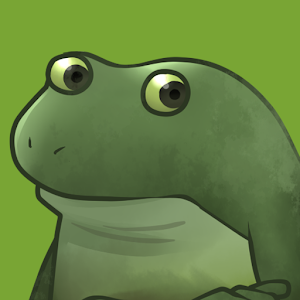
Same frog. Same homework.
These are the full prompts we gave the models. Pick one and see how yours does.
Attach the original each time. We’ve kept the test prompts unchanged, including their older advice about smooth shading. For rougher drawings and new jokes, try the recipe below. The same prompt can still give you a different frog.
What’s his problem today?
Give him a small task or an unreasonable situation. We’ll wrap it in a prompt that asks for rough, homemade additions.
A hat usually means the same Bufo, now with a hat. “Bufo is corn” has more room to wander. Start with the joke. A little bad drawing is welcome; a glossy mascot with JPEG noise is still a glossy mascot.
For your assistant, too.
Give your assistant the frog and the instructions in one download.
- Unzip the download and keep the bufo-maker folder together. The frog lives in there, along with the prompts and instructions.
- Add the folder to your assistant’s skills directory using that tool’s installation instructions.
- Ask: “Use bufo-maker to make a Bufo offering pizza.” Or: “Use bufo-maker to reproduce the coffee benchmark.”
Your assistant still needs an image tool that accepts a reference. Without one, the skill hands you a prompt and the image path to use elsewhere. You supply the model and any credits.
Read SKILL.mdIf your tool doesn’t use skills, copying a prompt and attaching Bufo works too.